
Features
Everything Interventus does, grouped by stage of the job.
Customers
Customer records you can create in ten seconds: name and phone now, the rest when you need it.
- 10 sto add a customer
- 1 tapto call or navigate
- 1record with the full history
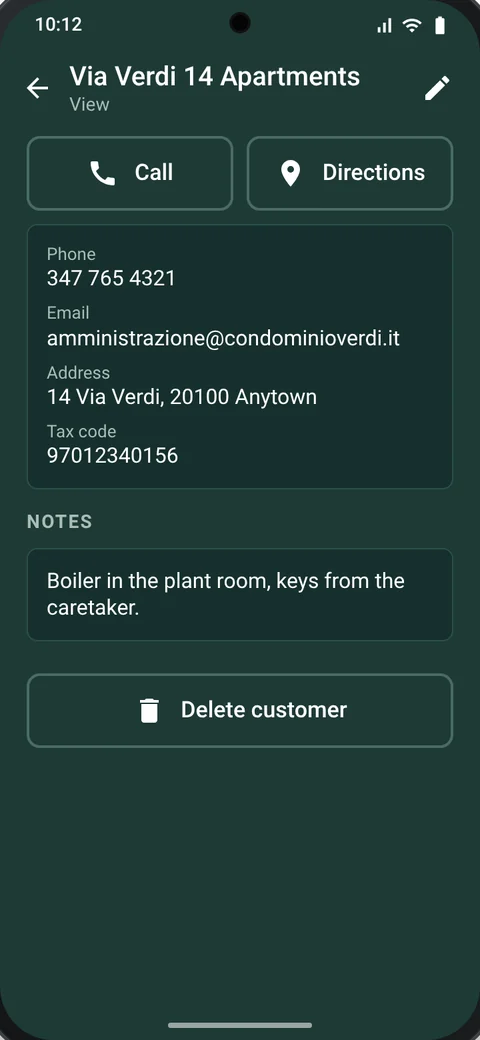
- Records with VAT number, address, phone, notes and search by name
- Call the customer or navigate to their address with one tap
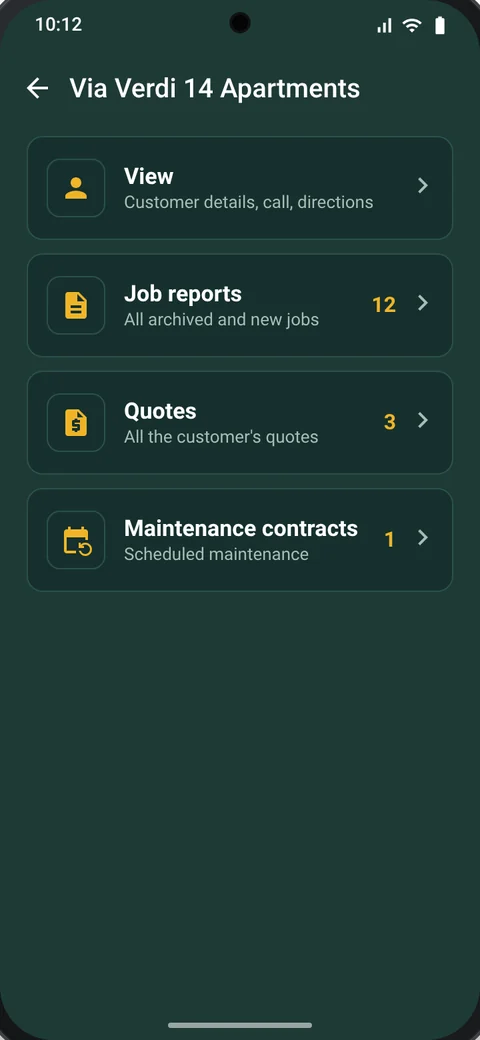
- Customer record with four buttons: details, job reports, quotes and maintenance contracts
- Hourly rate and call-out fee set per customer
- Customers imported from a CSV file, from Excel or your business software: those already there are skipped
Calendar and reminders
Day, week and month views, with large numbers.
- 3views: day, week, month
- Alwaysreminders, even after a restart
- 1 tapfrom appointment to job


- Day, week and month views, with a mark on busy days: swipe to go forward or back
- Appointments with customer, time, address and notes: tap the address to start navigation
- Pick a customer from your records or type a name and save it later
- Reminder notifications before appointments, even after the phone restarts
- Open a job for that customer straight from the appointment
- Scheduled maintenance every 3, 6, 9 or 12 months: when it is due, the appointment appears in your calendar by itself
- Appointments imported from the calendars on your phone (Google, Samsung, Outlook…): the phone calendar is never changed
Widgets
Three widgets for your phone's home screen: see your day and get the main things done faster, with a single tap.

Then: 14:00 Bathroom quote · Bianchi family+1
2 more open jobs2 maintenance due
Week: 8 appointments · 3 jobs closed€1,240
- Next appointment, with Navigate, Call, Start job and Running late one tap away
- Job in progress: live timer and the total so far, Stop and Start without opening the app
- Week from Monday to Sunday: tap a day to see its appointments, with Navigate and Open
- Colours follow the ones chosen in the app, under Appearance
Quotes
Write the quote on your phone and send it as a PDF before you leave the customer.
- 1/2026numbered like your reports
- 4statuses, from to send to accepted
- PDFwith your logo


- Numbered like your reports: 1/2026, 2/2026…
- Materials picked from your list with quantity, or free lines with just a price, and total with VAT
- Validity in days and notes, such as terms and delivery times
- Status always in view: to send, sent, accepted, declined
- PDF with your logo, sent by email, WhatsApp or any app
Jobs
Four tabs, in the order you work: job, materials, photos, close.
- 4tabs, in working order
- 1button for the timer
- 3photo stages
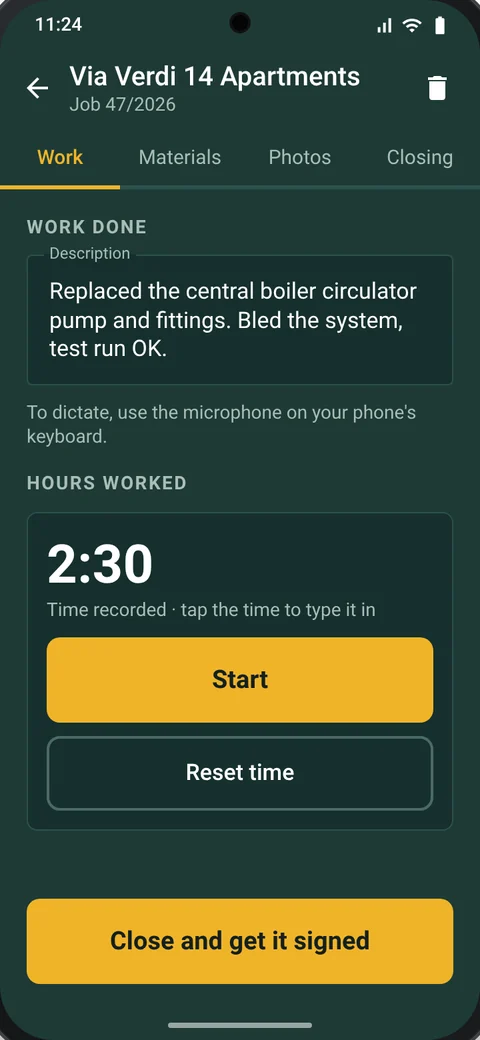
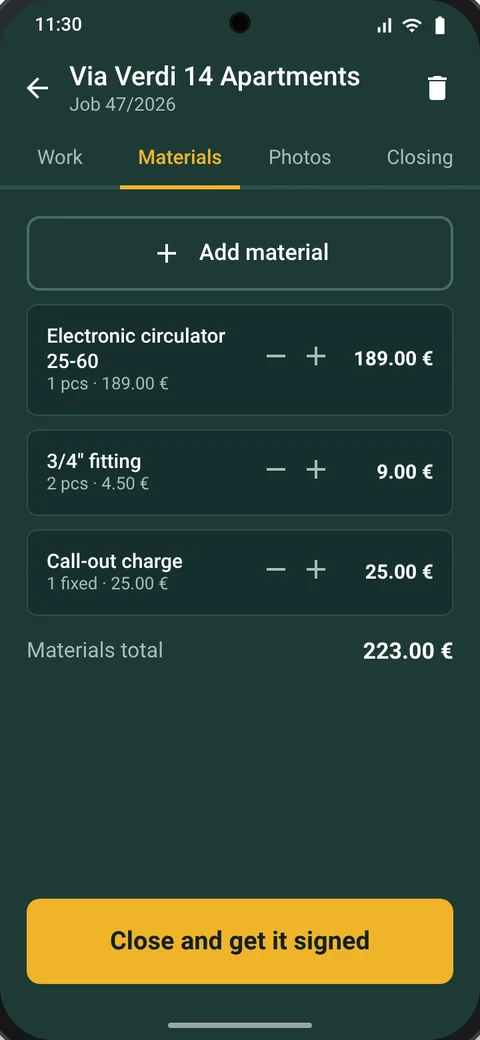
- Title, work description, internal notes and status
- Report numbering that restarts every year
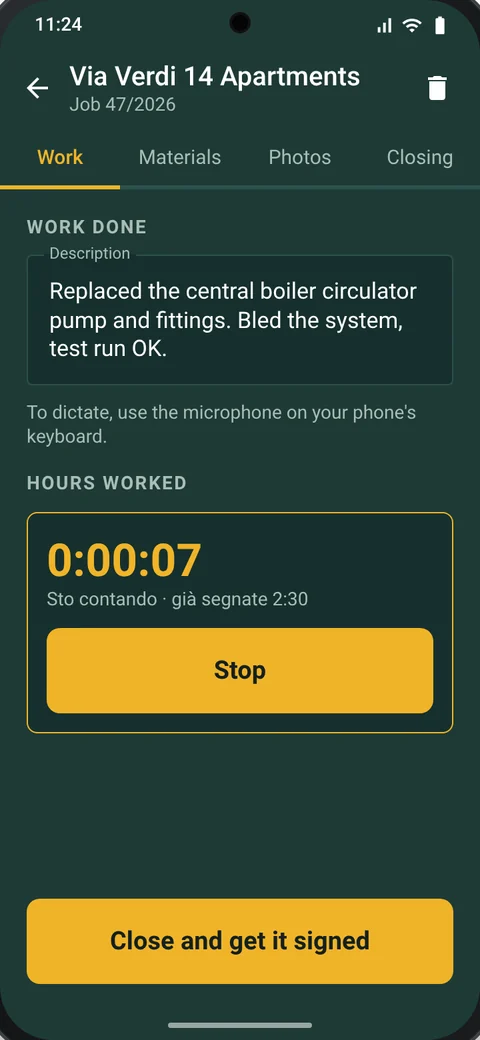
- One-button timer, Start and Stop: while running it shows the hours, minutes and seconds of the current session
- Materials catalogue with code, price and unit, most used first
- A part that is not in the catalogue you add on the spot, and it stays there for next time
- On-site photos, grouped as before, during and after
- The timer keeps running even if you leave or close the app, and hours can be typed in by tapping the time
Totals and margin
Totals update with every line. Your material costs never leave the app.
- 0sums by hand
- VATworked out for you
- €your costs stay hidden

- Automatic materials, labour, subtotal, VAT and total
- Labour worked out as hours times rate, or an amount you type that takes priority
- Estimated margin against what the job costs you
- Holiday and night rates, call-out fee, VAT rate
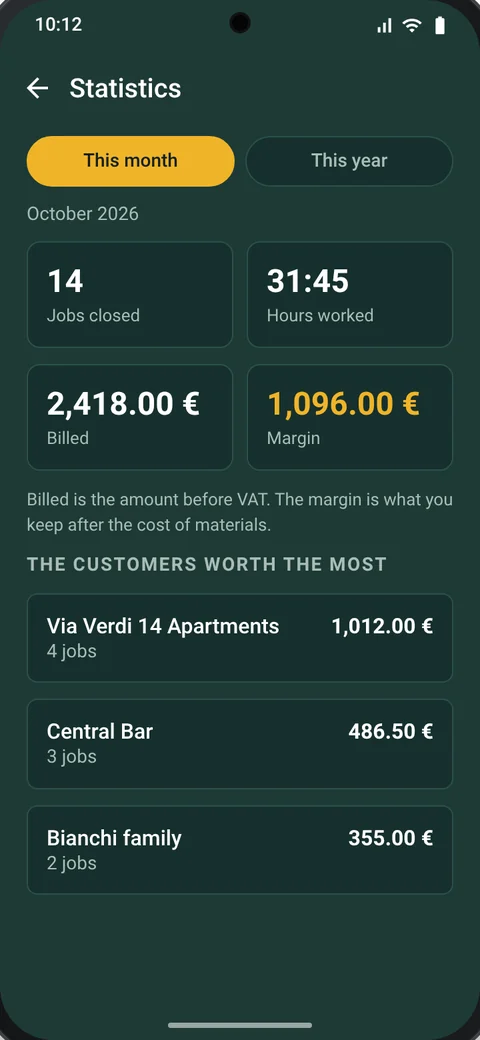
- Monthly and yearly figures: jobs closed, hours, takings, margin and your best customers
Signature and report
The customer signs on screen and gets the PDF before you have packed your tools.
- GPSlocation when signed
- SHA-256document fingerprint
- A4PDF report


- Finger signature with the signer's name and role
- Date, time, GPS position, distance from address, device and SHA-256 document fingerprint
- Job locked after signing: readable, not editable
- A4 PDF report with logo, customer details, work, totals, photos and signature
- Multiple pages when needed, with compact header and page numbers
- Send by email, WhatsApp or any sharing app
Business and data
Your company details, your documents and a full copy when you change phone.
- Driveautomatic copy every day
- 0signal needed
- 1 fileon the phone too


- Company name, VAT number, contacts and logo printed on reports and quotes, with a footer note (for example tax wording)
- Your own hourly cost, used only to work out margin
- Document archive: manuals, certifications, contracts, insurance, sent by WhatsApp or email in one tap
- A copy of all your data, with photos, signatures and PDFs, in your Google Drive, automatically once a day too, in a space only Interventus can read
- A copy in a file on the phone as well, and restore on a new phone
- Works offline: everything stays on the phone
Make it yours
The app speaks your language, comes in the colour you like and can be tried with no risk.
- 2languages, PDFs included
- 5colours to choose from
- Demowith sample data


- Italian or English: choose at first start and change whenever you like
- Reports and quotes come out as PDFs in the chosen language too
- Five colours to choose from, applied instantly
- Demo with sample data, from the welcome screen or More, for 30 minutes: try everything, signature included, without touching your own data